 CAD / CAE Software & Engineering
Inspire Form sheet metal forming simulation
Check formability, blank shape and springback before you cut steel or build a die, with a simple workflow for product designers and process engineers.
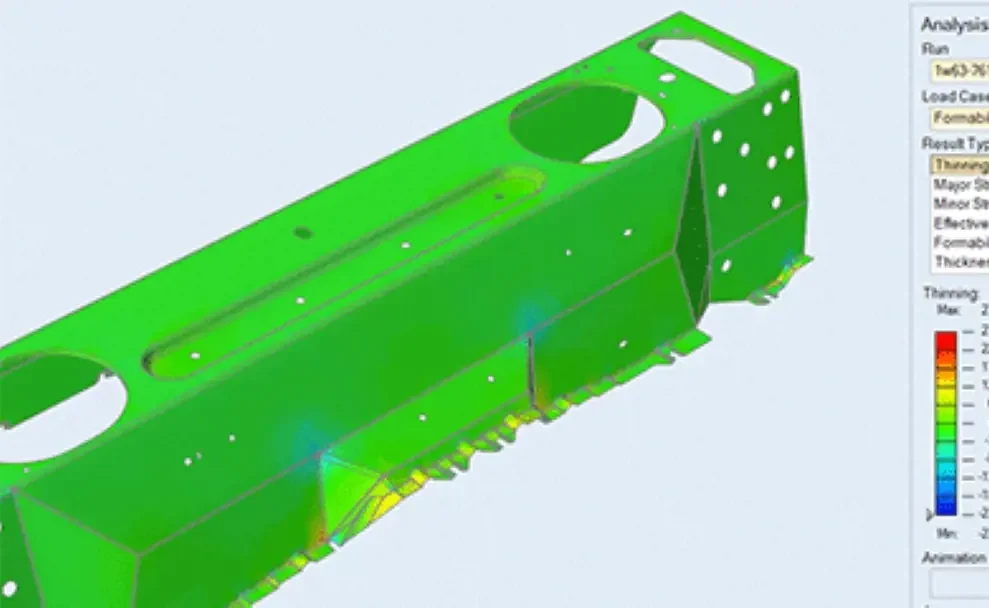
What Inspire Form does
Inspire Form simulates single or multi-stage stamping on the computer, so splits, wrinkles and thinning show up before the die exists.
- Feasibility analysis
- A fast check of thinning, splitting and wrinkling from the part geometry, early in product design while changes are still cheap.
- Model setup
- Set the material, orient the stamping direction, define symmetry, and apply pin, blankholder and drawbead constraints. A preformed shape can replace the flat blank.
- Blank fit and nesting
- Calculates the best-fit and standard blank shape, and nests blanks for progressive and transfer die layouts to improve material use.
- Multi-stage virtual tryout
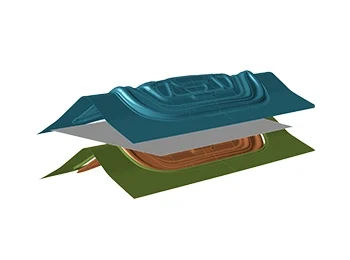
- Simulates single or multi-stage forming, including trimming between stages, to validate the die process before physical tryout.
- Springback and die compensation
- Predicts springback after forming and trimming, and supports compensating the die surfaces.
- Geometry preparation
- Extracts midsurfaces and removes flanges and holes, so CAD parts are ready for forming analysis.
- Results and reports
- Review thinning, strain and formability results in the Analysis Explorer, and publish a PDF report.
Results from benchmarks and users
- Numisheet 2022 springback benchmark
- In the benchmark run by the Numisheet Benchmark Committee, Inspire Form received the top rating in the DP 980 steel category without stake beads. Source: Siemens white paper.
- Pragati Engineering, India
- A press tool maker cut physical tryout time by 50% and shortened tooling delivery from nearly a month to 1–2 weeks, according to a vendor-hosted case study. Source: case study.
Application areas
- Automotive stamping
- Body and structural parts, reinforcements and brackets.
- Press tool and die makers
- Validate the die process before physical tryout.
- Appliances and enclosures
- Drawn and formed sheet metal housings.
- Product design
- Designers check formability while the part is still changing.
Engineering benefits
- Fewer tryout rounds
- Find splits, wrinkles and thinning on screen first.
- Less material waste
- Blank fit and nesting improve material use.
- Earlier decisions
- Feasibility results arrive during product design.
- Fits the Inspire family
- Works alongside the other Simcenter Inspire tools.
About the name
Part of Siemens
Inspire Form was developed by Altair, now part of Siemens. Its current name is Simcenter Inspire Form.
Related tools
For hot forming and more advanced process work, partners point to HyperForm in HyperWorks.
Product information from public sources by Siemens and its partners.
Talk to a Softprint engineer about Inspire Form
See also HyperWorks · SimSolid · ThinkDesign · InsightPro.